Bring the ground in.
Start with automatically imported topography for terrain context. Bring in survey-grade topo via supported CAD files when your project needs surveyed detail.
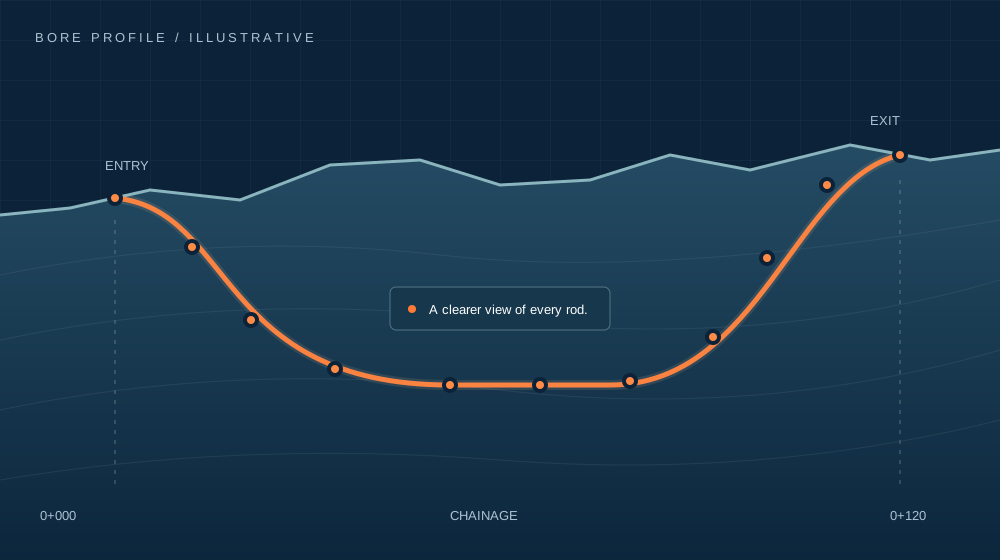
Know your terrain →Stop starting from a blank canvas. Bring topography straight into the plan, shape your bore in 2D and 3D, and carry the detail from the first rod to the final report.
Your rig. Your guidance system.
One workflow.
Build the plan around your job, not a hardware brand. Use Dynamic Steer in the field, or bring supported Subsite, DCI and UMAG as-built exports into the same workflow.
Keep your attention on the bore. A guided, visual workflow takes you from equipment and terrain to a considered design, through the rods and into a useful record.
Start with automatically imported topography for terrain context. Bring in survey-grade topo via supported CAD files when your project needs surveyed detail.
Know your terrain →Shape the bore in 2D, understand it in 3D and work through the rod-by-rod geometry. See the design in context as you develop it.
Explore the planning tools →Work rod by rod with Dynamic Steer on iPhone or iPad. Keep readings on the device when signal drops; connected office-to-field updates are in private testing.
Meet Dynamic Steer →Bring the actual bore back into the picture and produce reports from the work. Using another guidance system? Import its supported as-built export.
Close the loop →Bring the surface profile into the planning environment automatically. See how the ground rises and falls, understand cover in context and start shaping your shot sooner. Less manual setup. More time on the design.
Have a survey? Import survey-grade topo through supported CAD files. Need to work away from signal? Prepare downloaded map and topo areas before heading to site.
Start with the machine and fitted rods. Then develop the route with the geometry, crossings and limits that matter to an HDD bore.
Set entry and exit, cover, setback and critical points. Edit the top-down route, inspect rods and move between 2D and 3D to understand the design.
Check drill-pipe and product-pipe bend requirements, including planned lateral and compound bends. See where the route pushes the selected limits.
Bring roads, rail, rivers and utilities into the plan. Review crossing dimensions, clearance and the nominal final reamed-bore envelope.
Design checks support engineering judgement. Steering guides are sampled planning aids; the nominal reamed envelope does not model overcut or ground movement.
Full bore planning across Windows, macOS and iPad. A focused field companion on iPhone and iPad.
Integrated terrain, 2D/3D bore planning and rod-by-rod geometry help you turn the initial route into a considered design.
ILLUSTRATIVE PROFILE · FULL APP SCREEN TO FOLLOWSee the next rod in context. Record pitch and depth, review the remaining correction, and report left/right offsets when required. Keep accepted readings as the job progresses.
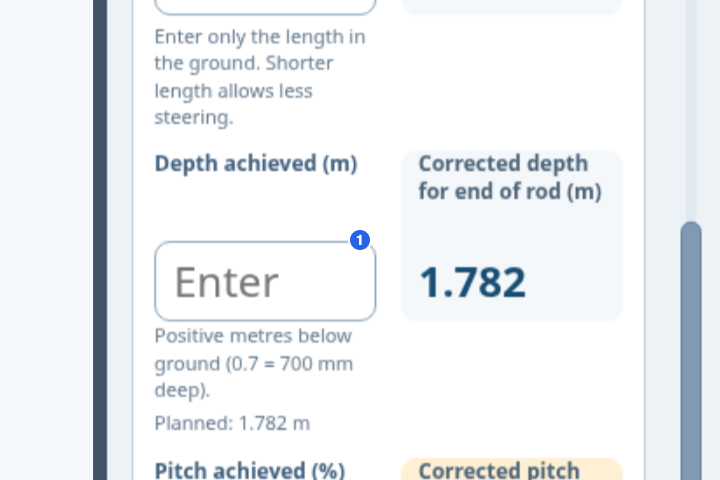
Site-proximity warnings. Pause and resume. Complete the bore or add another rod. Lateral positions use crew-reported offsets; corrections remain subject to a feasible route and bend limits.
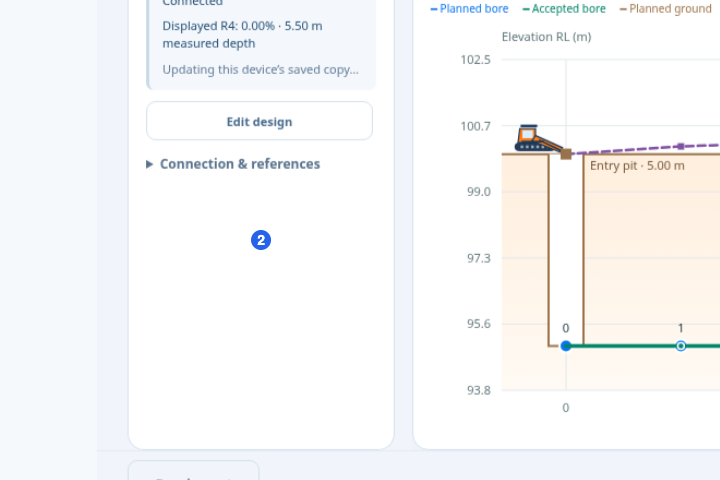
Publish the plan to your linked field crew. As rods are accepted, the office can follow the developing bore against the design. Shared jobs and live updates are now being tested across the apps.
Your project. Your visibility. No app required.
Drilling companies plan and record with HDD Studio. The shared live-bore view is being developed so the people commissioning the work can follow progress in a normal browser—without installing the app.
The intended view brings the recorded bore against the plan, with clear indicators for depth deviations and drill-pipe or product-pipe bend-limit warnings.
The browser view answers the immediate progress questions. The as-built report provides the detailed completed record: bore profile, rod data, recorded deviations, crossings and review information.
Ask your drilling contractor for HDD Studio visibility.
A clearer way to follow the work in progress and review the finished bore. Shared-view availability will be confirmed at launch.A useful report should explain the work. Bring the job summary, bore profile, crossing information and rod schedule together, with planned, recorded and corrected values clearly distinguished.
Pre-bore and as-built PDFs carry the detail: crossing clearances, rod pitch and cover, drill/product steering limits, reported lateral offsets and named, dated review records.
Import supported Subsite, DCI and UMAG as-built exports, even when Dynamic Steer was not used. Keep the planning and reporting workflow open to the equipment you already run.
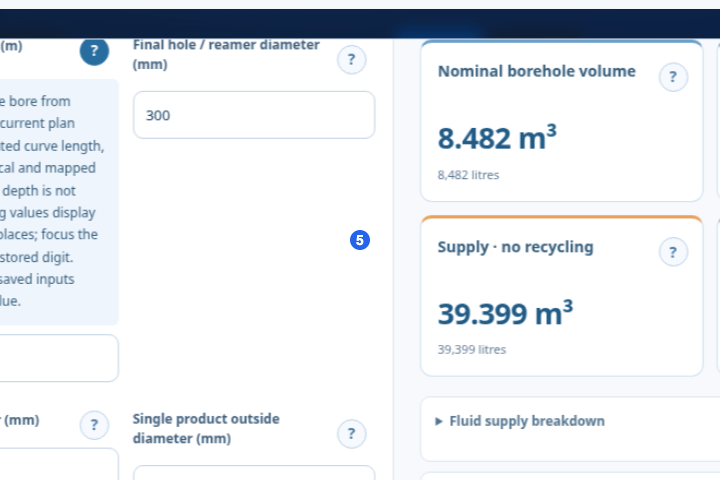
File and version compatibility applies. Refined report layouts are in next-release preview.Mud program turns bore dimensions into a practical fluid and materials estimate. Bring in the plan length and final ream size, work through the passes and understand what the figures mean.
One bore plan. More of the job in view.
Public launch is coming soon. Here’s what is in the toolkit, what is being tested and what is still taking shape.
Private pilot features; public production availability is not yet announced.
Release and platform support vary. No public release date is announced.
HDD Studio is brand-agnostic. Plan independently of rig brand, use Dynamic Steer, or import supported as-built exports from an existing guidance system. Supported Subsite, DCI and UMAG as-built imports are part of the toolkit. Compatibility depends on the export format and version; direct hardware integration is not implied.
No. Automatic topography supplies terrain context for planning. You can import survey-grade topo via supported CAD files. Accuracy remains dependent on the survey source and correct units, datum and coordinate alignment.
Yes. Bore files can be transferred into Dynamic Steer for local use. In the connected private pilot, recorded readings are retained on the device while offline and queued for upload after reconnection. Download any required map/topo areas before leaving signal coverage.
No app installation is intended for the shared live-bore view. Principal contractors and asset owners will open a read-only view in their browser, using an expiring, revocable link. Browser sharing and the proposed depth and bend-limit indicators remain in development. The full completed record comes through the as-built report.
Public launch is coming soon. The apps are working and have been locally tested on devices, but a public release date, download links and pricing have not been announced.
HDD Studio is coming soon.
Automatic topo. Considered design. A clearer field record.
Interested in HDD Studio? Tell us a little about you and your organisation. Register for pre-launch information and choose whether you’d like email news about launch plans and subscription discounts.
Have a question about planning, Dynamic Steer, your organisation’s workflow or asset-owner visibility? Send a message to the HDD Studio team.
Email us directly or use the form. Messages submitted here are saved for review.When you register interest, HDD Studio collects your name, location, email, telephone, company and role to keep a record of interested organisations and respond to relevant enquiries. Contact messages collect your name, email and message.
If you tick the optional email box, we also use your email to send pre-launch news and subscription discount information. The box is not pre-selected. Registration is not a purchase, and no discount is guaranteed. We record the date and your opt-in choice.
Your submission is stored in the website’s hosted database, supported by Sites and Cloudflare infrastructure. When owner email alerts are enabled, a copy is sent through Resend to the HDD Studio inbox. It is not displayed publicly and is not sold. We do not use your telephone number for promotional calls or texts based on this form.
We aim to delete inactive enquiry and pre-launch records after 12 months unless you ask to stay in touch or an ongoing enquiry needs them. To request access, correction, deletion or to withdraw email permission, use the contact form and identify the email you registered with. Promotional messages will also include an unsubscribe method.
Basic anti-abuse controls use short-lived hashed request identifiers; these expire after 24 hours. This website currently uses no advertising or analytics cookies. Updated 20 October 2026.